
1099G Tax Season Coming Up
1 minute read
Published: January 23, 2026
Tax time can feel stressful. Especially if you received unemployment (and some forms of disability or Paid Family Leave benefits) last year. If you got a Form 1099G, you might have questions. We’re here to help you understand what the form is, why you received it, and what to do next!
It shows the total taxable benefits we paid you during the year. We also send this information to the Internal Revenue Service (IRS). You’ll receive a Form 1099G if you were paid:
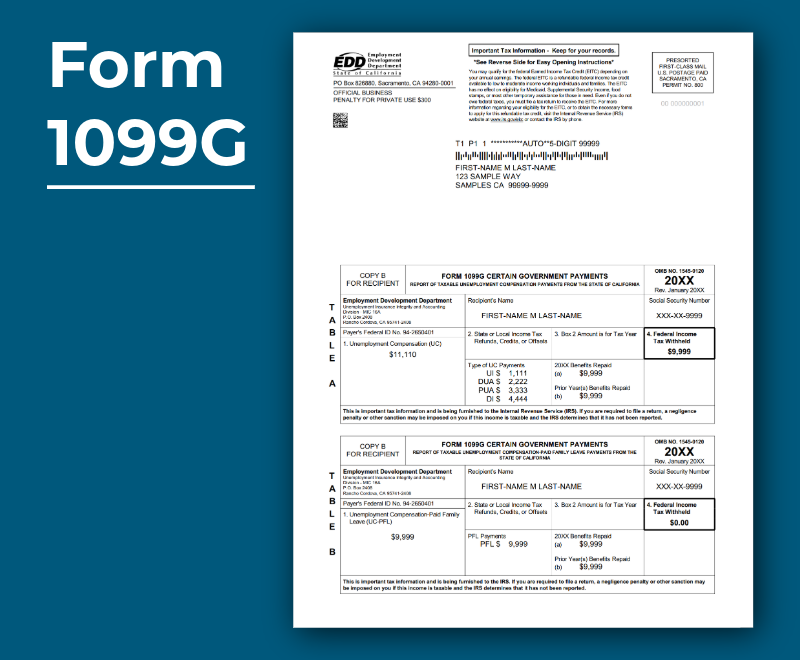
Here’s what you need to know.
The form includes benefits paid during the calendar year, based on the date the payment was issued.
You can view it online through myEDD.
Each year your form is available by January 31, and you can access it online for up to five years. If you didn’t choose paperless delivery, we’ll also mail your form to you.
Note: If we had to adjust your Form 1099G, the updated version may not appear online.
Sometimes the amount on your Form 1099G is higher than expected. That’s often because it includes:
Before calling, you can double-check your payment history online in myEDD. If it still doesn’t look right, we’re here to help!
If you received a Form 1099G but never applied or received benefits, you may be a victim of identity theft. And we take it seriously. Report it to us right away! Visit AskEDD and select Report Fraud. Or, call 1-866-401-2849.
If we confirm fraud, we’ll remove the claim from your Social Security number and send you a corrected Form 1099G.
This time of year can bring a lot of questions. You don’t have to figure this out alone. Whether you need help finding your form, fixing an error, or reporting fraud, our teams are ready to support you.
Call us at 1-866-401-2849, Monday–Friday, 8 a.m. to 5 p.m. (except state holidays).
Thank you for taking the time to review your tax information. We’re committed to helping you move through this process as smoothly as possible.